Physical Address
Lahore, Pakistan
Physical Address
Lahore, Pakistan

If you were in the middle of a deep coding session, drafting an important research document, or asking Claude to analyze a massive data pipeline, only to be hit with a blank screen or a nasty server error—don’t throw your laptop out the window just yet, bro. You are definitely not the only one staring at a broken screen right now. Over the last couple of hours, thousands of developers, content creators, and tech enthusiasts globally have been hitting a massive brick wall.
The burning question spreading across social media platforms like wild fire is simple: Is Claude AI down right now?
Yes, Anthropic’s flagship AI platform is currently facing a widespread global outage. Users trying to access Claude.ai, the backend Anthropic API dashboard, and even the recently launched Claude Code terminal tool are experiencing severe connectivity hiccups, 500-series internal server errors, and complete authentication failures.
Instead of panicking or blindly refreshing your browser tab every three seconds, let’s look at exactly what is going on behind the scenes, how to check the official live status, and what practical workarounds you can use to keep your digital workflow moving.
When a premium artificial intelligence platform like Claude goes dark, it usually boils down to a few typical infrastructure issues. Because models like Claude 3 and Claude 3.5 Sonnet handle millions of massive contextual tokens every single minute, the underlying server cluster requires flawless stability.
Right now, users are reporting a few distinct types of errors across different interfaces:
When trying to log into the main web application, the dashboard either refuses to process your login token or gets permanently stuck on a blank loading animation. For most casual users, this looks like a local internet issue, but it is actually a failure on the app’s central database gateway.
If you are a developer running a custom application, a WordPress SEO automation script, or a data cleaning script linked via an API key, your terminal is probably throwing raw HTTP 500 Internal Server Error or 503 Service Unavailable status codes. This means Anthropic’s processing nodes are completely overwhelmed and actively rejecting incoming computational requests.
For the software engineers utilizing Anthropic’s local CLI agent, command line prompts are returning immediate network timeout errors. The terminal cannot establish a secure handshake with the remote cloud server, forcing tasks to abort automatically.
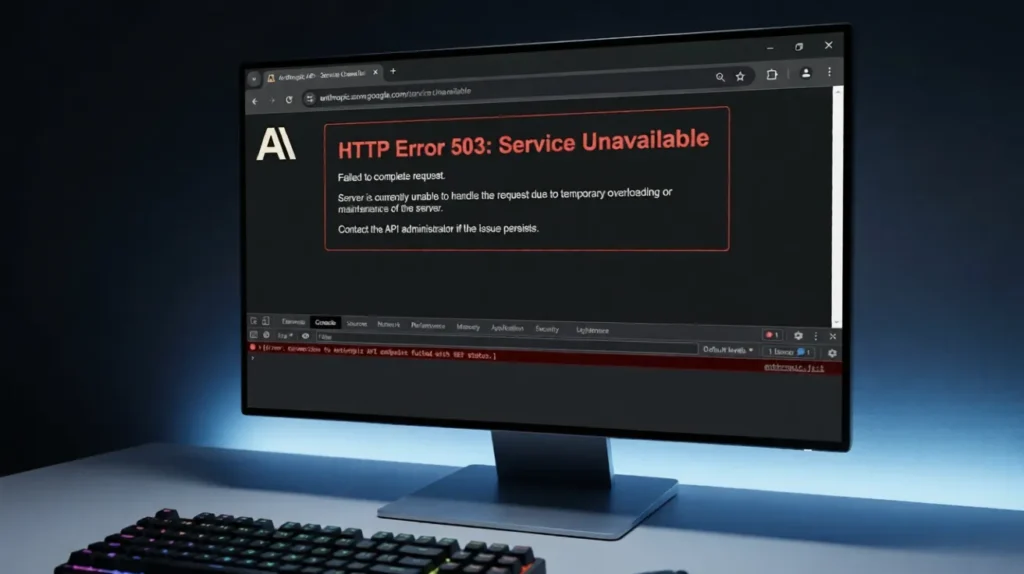
Before you go changing your browser settings or restarting your Wi-Fi router, you need to confirm whether the problem lies with Anthropic’s infrastructure or your local network configuration.
Here are the three fastest, most reliable ways to verify the real-time status:
[Your Computer] —> [Internet Gateway] —> [Anthropic Central Servers (🚨 DOWN)]
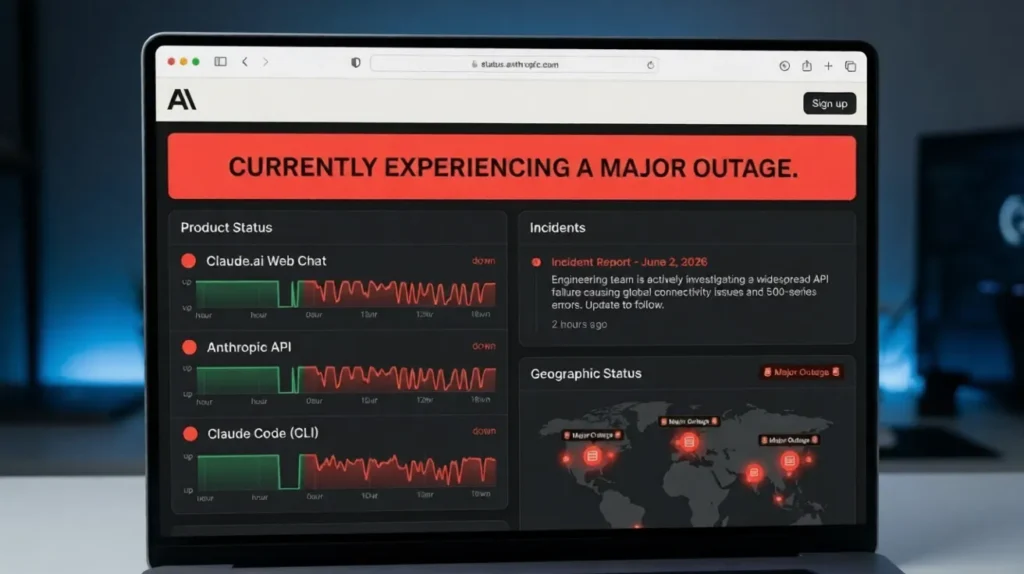
Anthropic maintains an independent infrastructure monitoring network hosted at status.anthropic.com. This should always be your very first stop. The page provides an itemized breakdown of the web app, developer console, API availability, and recent incident logs. If you see bright red or yellow bars next to “API” or “Web App,” it means their engineering team is already on the case trying to patch things up.
Sometimes official status dashboards take a few minutes to update while engineers assess the damage. If you want a real-time sanity check, head over to Downdetector and search for Claude or Anthropic. If you see a massive vertical spike on the outage graph within the last hour, it is a definitive sign of a global infrastructure crash.
Social media never sleeps when an essential AI tool goes offline. Go to the search bar on X and type in hashtags like #ClaudeAI, #Anthropic, or the phrase “Claude down”. If your feed fills up with fresh memes and complaints from developers posted just thirty seconds ago, you can rest easy knowing your own computer is perfectly fine.
To make it incredibly clear for you to see how deep this technical glitch goes, here is a quick visual summary of the current operational state of Anthropic’s product line:
| Product Affected | Current Status | Primary Error Message Observed | Is There a Local Fix? |
| Claude.ai Web Chat | 🔴 Major Outage | “Failed to fetch / Connection timed out” | No (Server-side issue) |
| Anthropic API Keys | 🟡 Partial Degraded | HTTP Error 500 / 503 Service Overloaded | No (Requires pipeline retry) |
| Claude Pro Accounts | 🔴 Major Outage | Authentication loop / Payment check failed | No (Billing gate is down) |
| Claude Code (CLI) | 🔴 Major Outage | Network socket closed unexpectedly | No (Requires central patch) |
Look, if the central servers at Anthropic are completely dead, no magical trick on your end can force the AI to process your prompt. However, many global outages roll out in waves across different geographic regions. Sometimes, an internal caching error or a bad browser cookie might keep you locked out even after the engineering team rolls out a partial server hotfix.
If you want to be absolutely sure, try these four steps sequentially:
A standard page reload simply reads stored data from your local browser cache. To bypass this, perform a hard refresh by pressing Ctrl + F5 (on Windows) or Cmd + Shift + R (on Mac). If that fails, go into your browser settings, clear the specific cookies for claude.ai, and try logging back in from scratch.
Extensions like ad-blockers, script-disablers, or automated SEO trackers can sometimes conflict with an AI application’s dynamic websocket connections—especially during unstable server periods. Open an Incognito/Private window and attempt to log in. If it works, one of your browser extensions is causing a bottleneck.
As mentioned earlier, major tech companies distribute their server loads across multiple cloud providers globally (like AWS or Google Cloud regions). If the primary server hub in your region is failing, fire up a premium Virtual Private Network (VPN) and switch your virtual location to a different country or state. This might route your traffic to an operational server cluster that hasn’t been hit by the crash.
Here is an insider tech-blogger secret: the main consumer front-end (claude.ai) often crashes first because it handles the massive influx of free public traffic. However, the developer console (console.anthropic.com) runs on completely separate, high-priority enterprise pipelines. If you have an active developer account with API credits, try using the “Workbench” area to talk to the model. It might still be highly responsive.
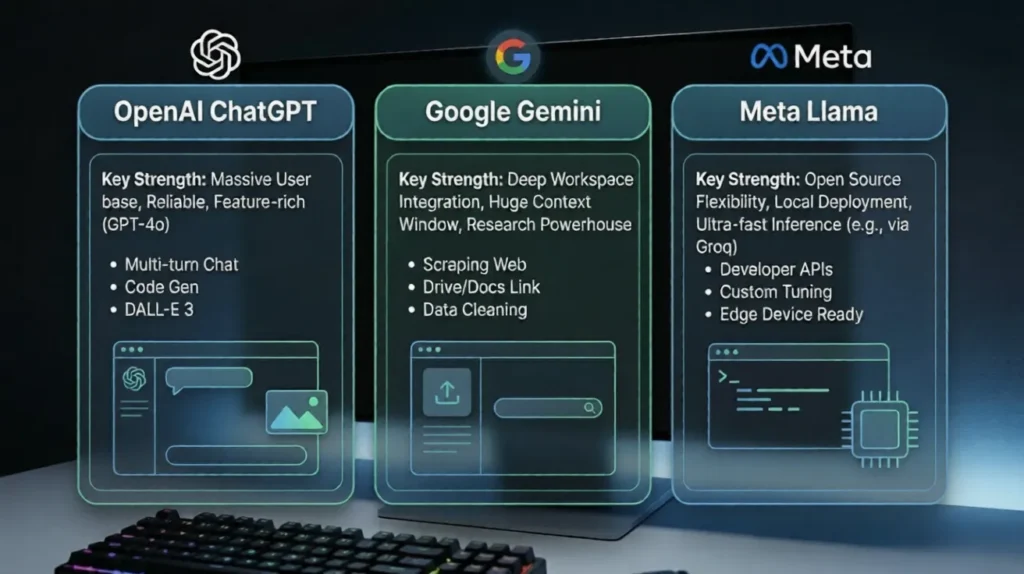
As an active developer, digital worker, or content manager, you cannot afford to sit around waiting for hours for a server patch to deploy. Time is money, bro! While Anthropic cleans up its data centers, here are the best alternative tools you can hop onto instantly to finish your tasks without missing a single deadline:
This current global outage is a gentle reminder of a massive reality check in modern technology: relying 100% on cloud-hosted artificial intelligence tools leaves our workflows incredibly vulnerable to central point failures. As stunning as models like Claude are, they still rely on physical server architecture, optical connectivity cables, and massive cooling grids that can fail at any moment.
For serious developers and businesses, the ultimate takeaway here is to always build a fallback system. If you build your apps or workflows with a multi-LLM setup (allowing you to swap from Claude’s API to OpenAI’s API with a single line of code), a server crash at Anthropic won’t disrupt your business operations for even a second.
Stay patient, keep an eye on the official status dashboards, and temporarily route your heavy tasks to backup models.
Are you still facing errors on your end, or has Claude started working again in your region? Drop a comment below to let us know what specific error code you are getting, and don’t forget to share this live update with your tech friends who are wondering why their scripts aren’t running!