Physical Address
Lahore, Pakistan
Physical Address
Lahore, Pakistan
Everyone’s talking about ChatGPT. But some of the most useful AI tools on the internet are sitting quietly in the corner, waiting for you to discover them.
By Vexitotech | May 16, 2026
Here’s something that happens to almost everyone who gets into AI tools. You start with ChatGPT or maybe Google’s Gemini. You use it for a few things. You think, okay, this is pretty cool. And then you just… stay there. You don’t explore further. You don’t realize that there’s an entire universe of AI-powered websites built for specific tasks that the big generalist chatbots do only halfway.
I get it. There are so many AI tools being launched every week that it’s exhausting to keep up. Most of them are gimmicks. A lot of them overpromise and underdeliver. And so you stick with what you know.
But every once in a while, you stumble onto something that genuinely stops you mid-scroll and makes you think — wait, this actually works? This is free? Why doesn’t everyone know about this?
That’s what this post is about. Not hype. Not tools that do party tricks. Three AI websites that are genuinely, practically useful — tools that will make you wonder how you were doing certain things without them.
Let’s get into it.

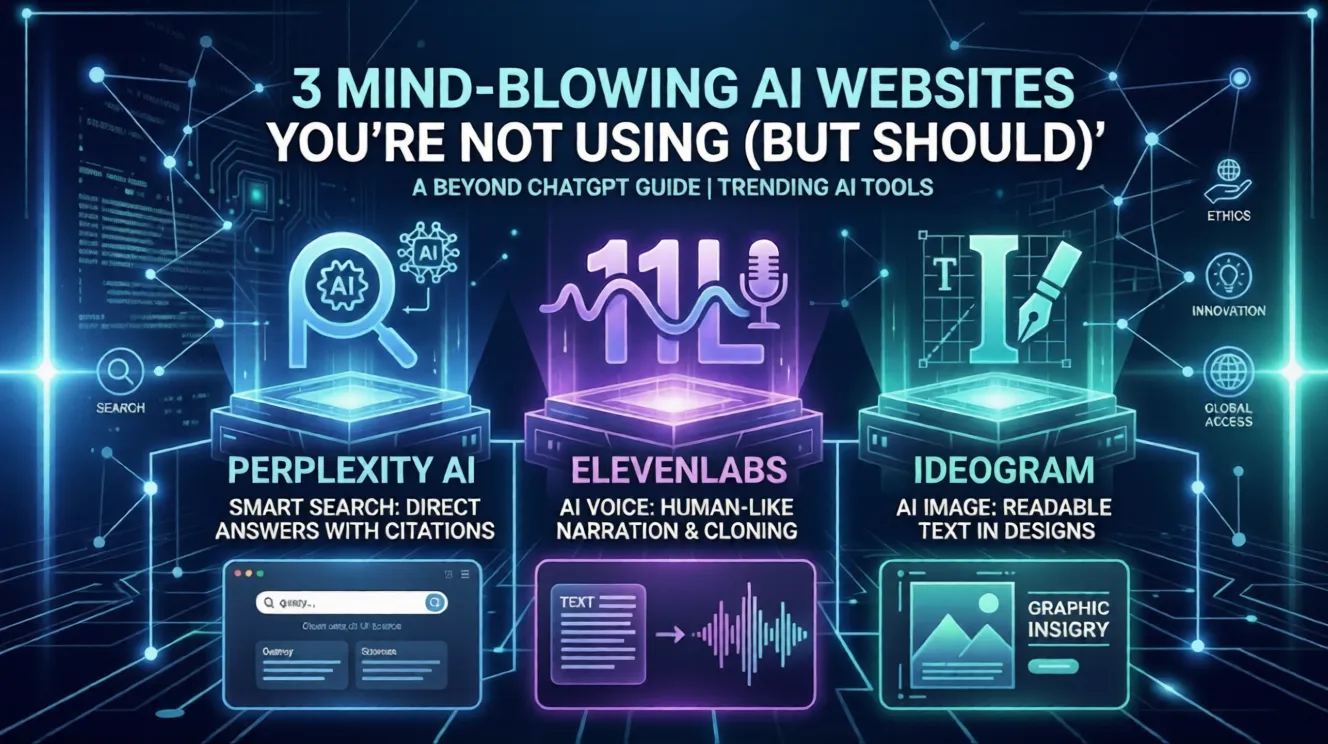
Website: perplexity.ai
Perplexity AI is a search engine powered by artificial intelligence. But calling it a search engine feels like an undersell, because it doesn’t work like any search engine you’ve used before.
When you type a question into Google, you get a list of links and you have to click through, read the pages, figure out which one actually answers your question, and piece together the information yourself. That process works fine when you have time and patience. But a lot of the time, you just want an answer.
Perplexity gives you the answer directly. You ask a question — any question — and instead of a list of blue links, you get a clear, well-written response that actually addresses what you asked. And here’s the part that makes it genuinely trustworthy: every single claim in the response comes with a numbered citation that links back to the original source. You can see exactly where the information came from and click through to verify it yourself.
That’s not something ChatGPT does reliably. ChatGPT will often give you a confident-sounding answer and then make up the sources, or just not give you sources at all. Perplexity is connected to the live internet, so it’s pulling real, current information and showing you where it got it.
Let me give you a real example of when this matters.
Say you’re researching whether a particular medication interacts badly with another one. You could Google it, wade through a dozen WebMD pages with pop-up ads and confusing medical jargon, and try to piece together a coherent answer. Or you could ask Perplexity, get a clear explanation in plain English, and see the medical journal citations right there in the response.
Or say you’re trying to understand something in the news — a new economic policy, a legal case, a geopolitical situation. Perplexity doesn’t just summarize one article. It pulls information from multiple sources, synthesizes them, and gives you a balanced overview. It’s like having a very well-read friend who’s done the reading for you and is now explaining it over coffee.
The free version of Perplexity is genuinely excellent. There’s a paid tier that adds more advanced AI models and deeper research capabilities, but most everyday users will never need to upgrade.
Honestly, everyone. But especially students doing research, professionals trying to stay current in their field, or anyone who finds themselves down a Wikipedia rabbit hole trying to understand something complicated. Perplexity is the tool I’d recommend to someone who only has time to try one new AI website from this list. It will immediately, noticeably improve how you find information online.

Website: elevenlabs.io
ElevenLabs is an AI voice generation platform. You type text, and it reads it out loud — but not in the robotic, flat, clearly-a-computer voice you associate with text-to-speech tools from ten years ago.
The voices on ElevenLabs sound like real people. Like, genuinely real people. We’re talking natural pacing, realistic breathing, emotional inflection, the slight variations in tone that make human speech sound human rather than mechanical. If you close your eyes and listen, it is sometimes difficult to tell that a real person didn’t record it.
The platform has a library of hundreds of pre-made voices — different genders, different accents, different speaking styles. There’s a calm narrator voice, a conversational podcast voice, a professional corporate voice, a warm storytelling voice. You can preview all of them before using them. And on the paid tiers, you can even clone a voice — upload a short recording of yourself speaking and the AI will create a voice model that sounds like you.
The use cases here are wider than most people initially think.
Content creators — If you run a YouTube channel, a podcast, or any kind of online video content, you’ve probably hit moments where you need narration but don’t want to record your own voice. Maybe you don’t have a quiet space to record. Maybe your voice is tired. Maybe you just want a different style for a particular video. ElevenLabs lets you generate professional-quality narration in minutes, in whatever voice fits the content.
People learning a language — ElevenLabs is surprisingly useful for language learners because you can generate speech in different languages and hear how words and sentences are supposed to sound. It’s more natural-sounding than most language learning apps, which helps you actually internalize correct pronunciation.
Accessibility — For people who have difficulty reading long texts due to visual impairments, dyslexia, or other reasons, ElevenLabs is a genuinely powerful tool. You can paste any text — an article, a document, a chapter of a book — and have it read back to you in a pleasant, natural voice. This is far more comfortable to listen to for extended periods than the robotic text-to-speech built into most operating systems.
Audiobook and storytelling projects — Writers who want to produce audio versions of their work without hiring a voice actor have started using ElevenLabs for exactly this purpose. The quality is high enough that for personal projects and independent publishing, it holds up well.
ElevenLabs is a powerful tool, and like all powerful tools, it can be misused. The ability to clone voices raises real ethical concerns about impersonation and the spread of fake audio content. ElevenLabs has usage policies in place and requires consent for voice cloning, but it’s worth being aware of the wider context. Use it responsibly. Don’t use it to impersonate real people without their knowledge or to create misleading content. That should be obvious, but it’s worth saying out loud.
The free tier gives you a limited number of characters per month — enough to try it out and generate short pieces of content. Paid plans start at around $5 per month and scale up depending on how much you’re generating.
YouTubers, podcasters, educators creating audio content, writers, language learners, and anyone who needs high-quality narration without the hassle of recording equipment or voice acting fees. Once you hear what it can do, you’ll start thinking of a dozen ways to use it.
Website: ideogram.ai
Ideogram is an AI image generator. You describe what you want to see in plain English, and it generates an image for you. In that sense, it works like Midjourney or DALL-E or Stable Diffusion — the big names in AI image generation that you’ve probably already heard of.
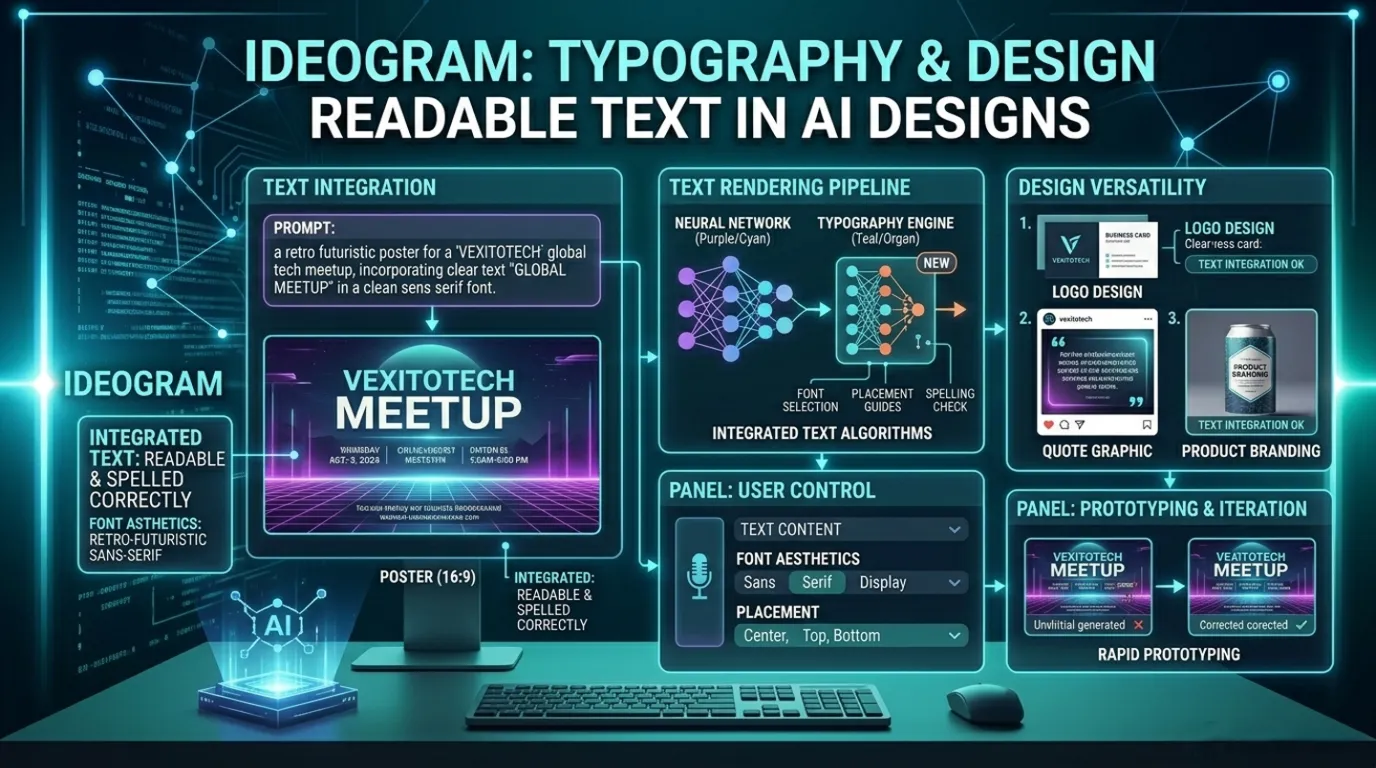
But here’s the thing that makes Ideogram genuinely different and genuinely impressive: it can handle text inside images.
This sounds like a small thing. It is not a small thing. If you’ve ever tried to get any other AI image generator to include readable text in a design — a sign, a poster, a logo, a greeting card — you know the pain. The letters come out garbled. Words are misspelled. Letters are backwards or fused together in bizarre ways. It’s one of the most notorious, longstanding weaknesses of AI image generation. For years, if you needed clean text in an AI-generated image, you had to generate the image and then add the text manually in Photoshop or Canva.
Ideogram figured out how to actually render text correctly inside generated images. It’s not perfect every single time, but it’s dramatically better than anything else available — and it keeps improving.
Think about all the times you need a visual with text on it.
A thumbnail for a YouTube video. A social media post with a quote. A simple poster for an event. A banner image for a blog. A greeting card. A product mockup. A logo idea. Any of these things used to require either design skills, expensive software, or hiring a designer.
With Ideogram, you describe what you want — “a minimalist poster for a coffee shop with the text ‘Morning Ritual’ in elegant serif font, warm brown tones, steam rising from a cup” — and it generates it in seconds. You can regenerate variations. You can remix the style. You can try different font aesthetics. And the text in the image will actually be readable.
For small business owners who need simple marketing visuals but don’t have a design budget, this is a genuinely transformative tool. You’re not going to replace a professional graphic designer for complex, brand-critical work. But for quick social media graphics, event flyers, or promotional images? Ideogram can get you eighty percent of the way there in about two minutes.
Bloggers and content creators get a lot of mileage out of it too. Generating unique, eye-catching featured images for articles used to require either stock photo subscriptions or spending time hunting through free image sites. Ideogram lets you create something original that actually matches your specific content, with text included if you need it.
Teachers and educators have found uses for it as well — generating custom visual aids, illustrated examples, or classroom posters without needing to know anything about design software.
Ideogram isn’t flawless. Sometimes the images look slightly off — proportions can get weird, hands still give AI generators trouble (a known issue across the board), and occasionally the style drifts from what you described. You’ll sometimes need to generate several variations before you get something that really works.
But for a free tool — and the free tier on Ideogram is genuinely usable — the quality-to-effort ratio is hard to beat. You’re not going to get pixel-perfect, photorealistic results every time. But for content creation, brainstorming visual concepts, or quick-and-dirty marketing graphics, it’s remarkable what you can produce in a few minutes with no design skills whatsoever.
Content creators, bloggers, small business owners, social media managers, teachers, and anyone who needs custom visuals with text but doesn’t have design skills or a design budget. Even if you do have design skills, Ideogram is useful for rapid prototyping — getting a rough visual concept out quickly before investing time in polishing it.
Finding a good AI tool and actually getting value from it are two different things. A lot of people try these websites once, produce something mediocre because they didn’t quite know how to use it, and conclude the tool is overhyped. Then they move on.
Here’s the thing: almost all AI tools reward you for being specific. The more clearly you describe what you need, the better the output you get. This is especially true for Ideogram — vague prompts produce generic images, while detailed prompts produce genuinely useful ones. It’s the same with Perplexity — a specific, well-formed question gets you a better answer than a fuzzy one.
Give each of these tools at least thirty minutes of genuine experimentation before you decide whether they’re useful for you. Try using them for a real task you actually need to complete, not just a test run. That’s when they reveal their value.
The AI landscape is noisy. There are hundreds of tools launching every month, most of them not worth your time. But buried in that noise are genuinely useful things — tools that solve real problems, save real time, and do things that feel genuinely impressive even after you’ve been using them for months.
Perplexity AI changes how you find information. ElevenLabs changes how you produce audio content. Ideogram changes what you can do visually without design skills.
None of these tools require technical expertise. None of them require you to understand how AI works under the hood. You just open a browser, type what you need, and something useful comes out.
That’s the promise of good AI tools. Not magic, not hype — just genuinely helpful technology that saves you time and lets you do things you couldn’t easily do before.
All three of these deliver on that promise. Go try them.
The best technology is the kind that makes you wonder how you managed without it. All three of these tools have that quality. And the best part? You can start using all of them today, for free, in the next twenty minutes.